Patient Reactivation
Best Patient Reactivation Software for Dental Practices: What to Look For Before You Buy
A dental practice does not usually lose inactive patients in one dramatic moment.
They drift.
One call nobody managed to return. One hygiene appointment that got moved and then forgotten. One diagnosed treatment plan that never received follow-up. One patient who missed an appointment, never got rebooked, and slowly disappeared from the schedule.
A year later, someone opens a report inside the PMS and realizes the number is bigger than expected.
Most private dental practices in the United States already have a meaningful growth opportunity sitting inside their own database. The patients exist. They trusted the practice once. They booked before. They accepted treatment before. They had a relationship with the team.
They did not necessarily leave because they disliked the practice. Many simply fell out of rhythm.
The real question is whether the practice has a system to bring them back, or whether reactivation depends on someone at the front desk finding spare time between calls, insurance checks, confirmations, payments, no-shows, and patients standing at the counter.
That is what someone is really looking for when they search for patient reactivation software. Not magic. A system that can turn a dormant patient list into real booked appointments without overwhelming the team or damaging patient trust.
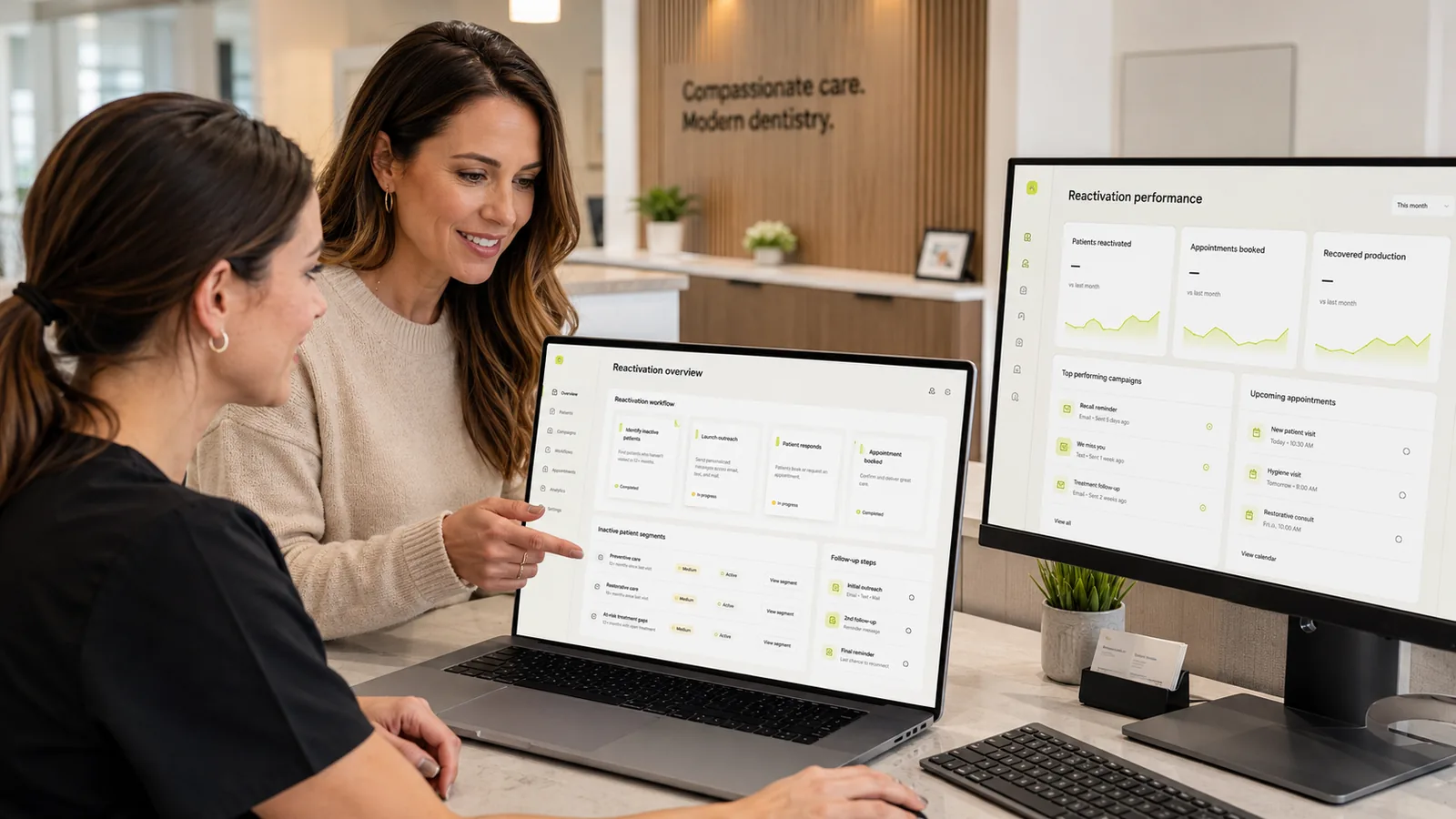
Quick answer: what is the best patient reactivation software for dental practices?
The best patient reactivation software depends on what the practice is actually trying to solve.
If the practice only needs hygiene reminders, a recall tool may be enough.
If it needs phone, messaging, payments, reviews, and general patient communication, a broader communication platform may make sense.
If it needs help with missed calls, after-hours intake, or outbound voice follow-up, an AI voice system can be useful.
But if the goal is to recover inactive patients and production already sitting inside the database, the strongest option is a tool built around a reactivation workflow.
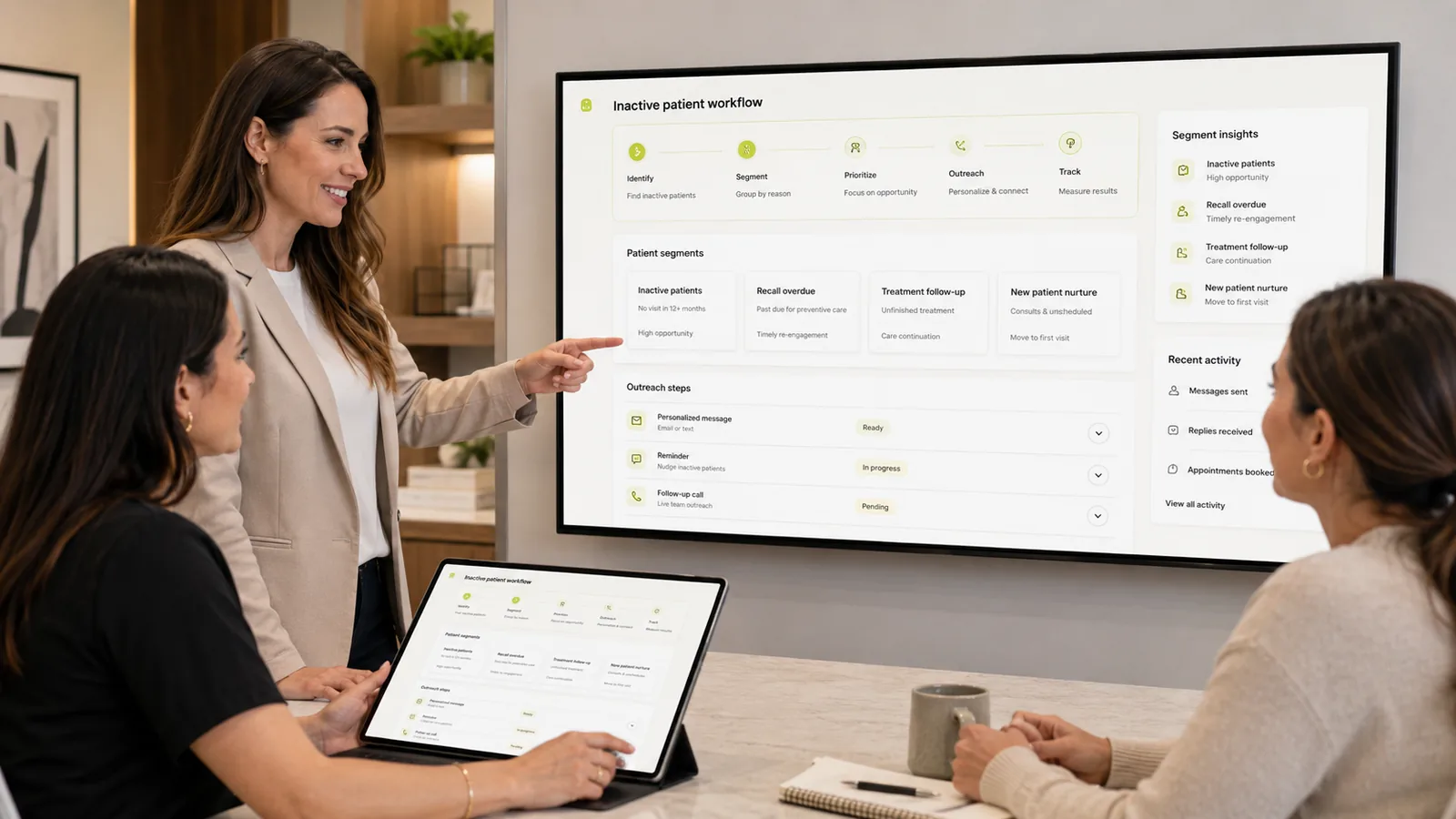
That workflow should do five things well:
- Detect inactive patients from the PMS.
- Segment patients by status, service type, timing, and opportunity.
- Run controlled follow-up across email, SMS, and voice.
- Keep the practice in control of messaging and exceptions.
- Measure booked appointments, kept appointments, and recovered production.
That distinction matters.
Patient reactivation is not a messaging problem. It is a workflow problem.
Kluse is positioned around that reactivation-first workflow. It is not a generic CRM, a PBX, or a reminder tool. It is built to help dental practices identify inactive patients, run controlled follow-up, and recover production without turning patient communication into spam.
Before comparing vendors, it helps to see what is recoverable in your own list. Find hidden reactivation opportunities with a free recovery report, or test one workflow before scaling on a single patient cohort.
What patient reactivation software actually means
Patient reactivation software is software designed to bring inactive patients back into the schedule.
That sounds simple, but the category has become confusing because many tools use similar language while solving different problems.
Recall software reminds patients who are due or overdue for hygiene. It assumes the patient is still relatively active inside the practice.
Reminder tools send appointment confirmations, no-show messages, birthday messages, and automated reminders. They are useful, but they do not necessarily solve reactivation.
A CRM stores contact records, notes, and communication history. Many CRMs do not understand clinical or operational dental states like unscheduled treatment, overdue hygiene, or treatment plans that were never booked.
Mass texting platforms let you send a message to a list. That is a feature, not a reactivation strategy.
Front desk task lists help the team organize work, but they do not automatically create the right list of patients to contact.
Patient reactivation software sits closer to operations than marketing.
Its job is to detect who has fallen out of the normal schedule, segment those patients, contact them through a controlled cadence, track replies, support booking, and report what production was recovered as a result.
If a tool does not support detection, segmentation, outreach, and reporting, it is probably not a true patient reactivation system. It is another tool wearing a similar label.
Why dental practices need a reactivation workflow, not another reminder tool
The hard part of reactivation is rarely the technology.
It is operational pressure.
The front desk answers calls, confirms appointments, verifies insurance, handles payments, manages no-shows, responds to patients, organizes the schedule, communicates with the clinical team, and still tries to keep the day moving.
Reactivation is the work that gets pushed back because no patient is standing there demanding it. There is no visible emergency. Just a database getting older in silence.
That database usually contains patients in very different states:
- Patients inactive for 6, 12, or 18 months.
- Patients overdue for hygiene.
- Diagnosed treatment that was never scheduled.
- Open treatment plans that lost momentum.
- No-shows that were never rebooked.
- Patients who called, hit voicemail, and never called again.
- Patients who still like the practice but simply stopped showing up.
The mistake is treating all of them the same. They are not the same.
A patient three months overdue for hygiene does not need the same message as someone with thousands of dollars of unscheduled restorative treatment from a year ago.
Good reactivation software helps the practice work by segment. That is the difference between sending more messages and recovering production.
What to look for before you buy
Before choosing a tool, the practice has to understand whether it is buying software or simply another messaging box.
A few things matter more than most marketing pages admit.
PMS-based inactive patient detection
If the tool cannot work from PMS data, it cannot reliably identify who should be reactivated.
The patient list has to come from a source that reflects real practice activity.
For many private dental practices in the United States, common systems include Dentrix, Eaglesoft, Open Dental, Dentrix Ascend, and Curve. The integration method can vary: native connector, secure export, local sync, or assisted workflow.
The key is to ask direct questions:
- How does the tool identify inactive patients?
- Where does the data come from?
- How often does the list refresh?
- Which clinical or operational fields can it read?
- Can it separate overdue hygiene from unscheduled treatment?
- Can it segment patients by time since last visit?
Vague answers are a warning sign.
A generic tool looks at old contacts. A reactivation tool looks at operational states.
Segmentation by patient status and service type
Segmentation is where many tools fail.
A strong solution should let the practice separate patients by:
- Inactive timeframe: 6, 12, or 18 months.
- Overdue hygiene.
- Diagnosed but unscheduled treatment.
- Open treatment plans.
- Estimated production opportunity.
- Insurance benefit timing.
- Patients with strong prior history.
- Patients who replied before but never booked.
This changes the outreach completely.
A patient overdue for hygiene needs a simple, low-friction message.
A patient with unscheduled restorative treatment needs more context and care.
A patient who missed an appointment may need a softer re-entry point, not pressure.
Reactivation is not about speaking louder. It is about speaking more relevantly.
Multi-channel outreach without burning your patient list
Most patients do not respond to one email.
Not everyone responds to SMS either.
Voice still matters, especially for older demographics, higher-value treatment, and follow-up that needs context.
But multi-channel outreach done poorly becomes spam. A good tool should support:
- Email and SMS in the same workflow.
- Voice as an optional layer, not as a replacement for the team.
- Cadence limits per patient.
- Human approval for the first messages.
- Clear opt-out paths.
- Segment-level control.
- Automatic pause when a patient replies or books.
The question is not, how many messages can we send? The question is, how do we contact patients without destroying trust?
A patient list is an asset. If a practice treats it like a cold lead list, it loses value quickly.
Reporting recovered production, not vanity metrics
This is one of the most important differences.
A tool can show messages sent, open rates, replies, and clicks. Those can be useful. But they are not the final result.
The metrics that matter are:
- How many appointments were booked?
- How many appointments were kept?
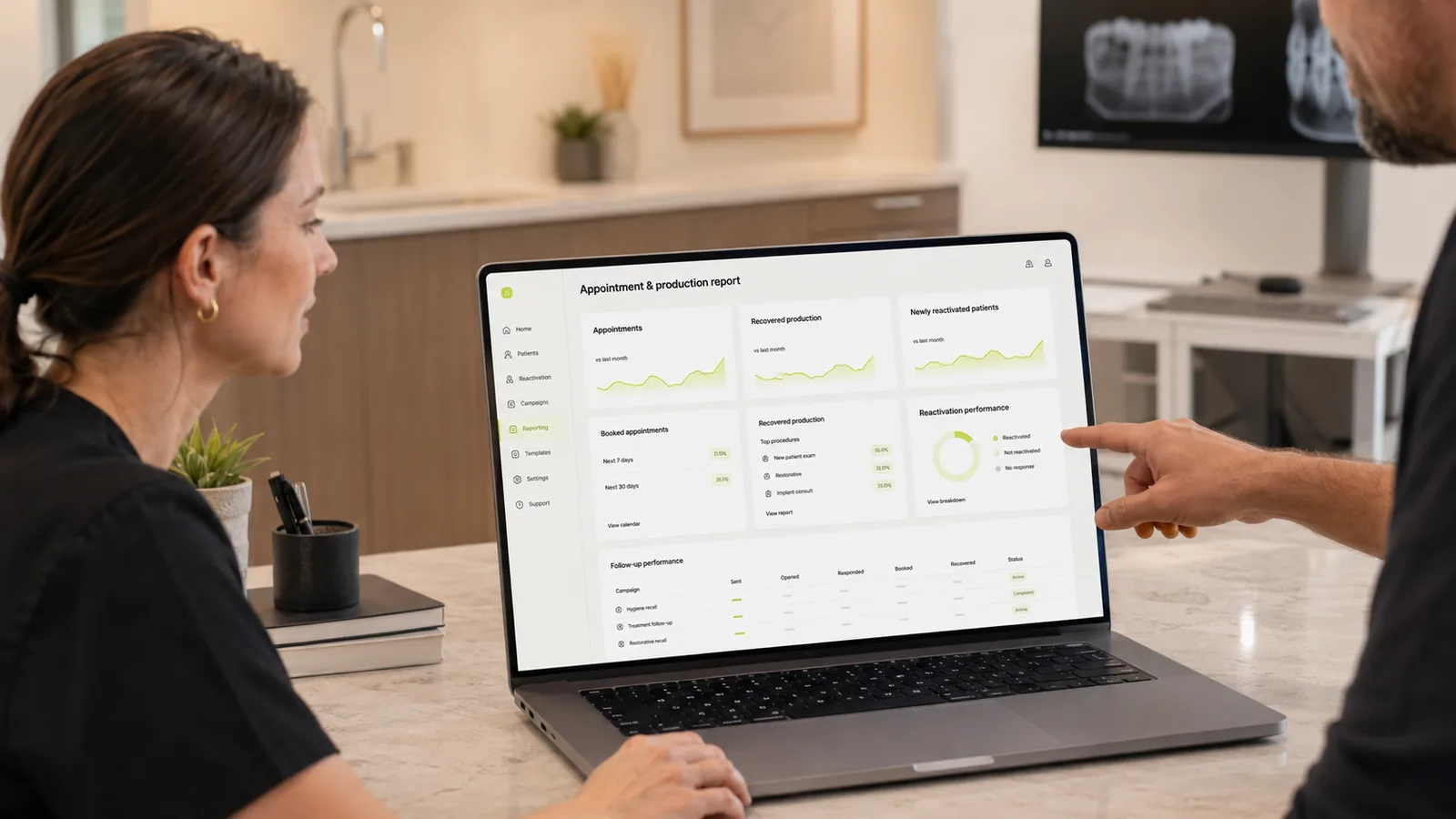
- What production was recovered?
- Which segment produced the best response?
- How much time did the team spend managing the workflow?
- Which campaigns brought real patients back?
The difference between booked appointments and kept appointments matters. A booked appointment that never happens is not recovered production.
A strong reactivation system closes the loop between patient identified, outreach sent, reply received, appointment booked, appointment kept, and production recovered.
Before comparing vendors, the practice should estimate what may be sitting dormant inside the database. The recovered production calculator can help turn that conversation into a starting estimate.
Human review and practice control
AI can help. Automation can help.
But reactivation should not run like an unsupervised machine sending messages without context.
The practice should be able to see what is going out, approve campaigns, pause segments, edit messages, and intervene when a patient situation is sensitive.
The tool should handle the volume work:
- Building lists.
- Suggesting segments.
- Preparing cadences.
- Sending approved messages.
- Logging replies.
- Organizing follow-up.
The team should keep the judgment work:
- Sensitive patient situations.
- High-value treatment conversations.
- Complex treatment context.
- Messages that need a human tone.
- Anything clinical or legally sensitive.
AI should not be sold as a front desk replacement. The better frame is amplification.
The team gets time back. The patient still feels contacted by a practice that understands their context.
Compliance-aware workflows
This is an area where vendors sometimes talk too quickly. The right posture is conservative.
Consent: the practice needs to know which channels the patient has authorized, including SMS, email, and voice.
Opt-out: each channel needs a clear way to unsubscribe, and that preference must be honored.
Call recording: some states have stricter rules around recording and two-party consent.
HIPAA and BAA: any vendor handling patient information needs the appropriate process, including a Business Associate Agreement where applicable.
No tool is automatically HIPAA compliant just because the phrase appears on a marketing page. Compliance depends on the agreement, configuration, permissions, workflow, and how the practice uses the tool.
This is operational guidance, not legal advice. Before launching reactivation campaigns, a practice should validate the workflow with counsel, a compliance contact, or the internal person responsible for privacy and messaging rules.
How to compare patient reactivation software
The category looks crowded because different tools are trying to capture the same search demand. They are not interchangeable.
| Category | Best for | Watch out for | Example vendors |
|---|---|---|---|
| Patient reactivation-first tools | Practices trying to recover inactive patients and dormant production | Verify PMS integration, reporting depth, and cadence control | Brevium, DoctorConnect, mConsent, Kluse |
| Patient communication platforms | Practices that need phones, messaging, payments, reviews, and broad patient communication | Reactivation may be one feature inside a much larger platform | Weave, Yapi, Mango Voice |
| CRM / reminder tools | Recall, reminders, online booking, and recurring communication | They may not have deep segmentation for inactive patients | RevenueWell, Solutionreach, NexHealth |
| AI voice and follow-up systems | Missed calls, after-hours intake, outbound recall, and operational volume | They should not be sold as full front desk replacement | Dental AI receptionist and voice AI tools |
| Performance marketing agencies | Practices that want to combine patient acquisition, reactivation campaigns, paid traffic, and follow-up systems | This may be more service than software; evaluate dental niche expertise, tracking quality, lead quality, and data ownership | Kritikal Leads, Cardinal Digital Marketing, Prospyr |
Note: Kritikal Leads is intentionally listed without a link for now. Add a link later when the site exists and is approved.
The right comparison does not start with, which vendor is most famous? It starts with operational questions:
- Does the tool pull from the PMS?
- Can it segment by patient status?
- Does it measure recovered production?
- Does the team keep control?
- Are consent and opt-out handled clearly?
- Does the vendor explain what the tool does not do?
- Can the practice repeat the workflow every month?
When the practice is already evaluating specific platforms, side-by-side pages can help. Start with the Weave alternative, Yapi alternative, and Mango Voice alternative comparisons.
Where Kluse fits
Kluse is a patient reactivation and revenue recovery system for private dental practices in the United States.
It is not a full PBX. It is not a generic CRM. It is not just a reminder tool. It is not a platform designed to replace the front desk.
The focus is narrower and more operational: helping practices recover production already sitting inside the patient database.
The workflow starts with identifying inactive patients, overdue hygiene, and unscheduled treatment. Then it organizes segments, creates controlled cadences, supports human review, and tracks outcomes through booked appointments, kept appointments, and recovered production.
The patient reactivation approach explains the overall logic. The page on how to reactivate inactive patients shows the use case. The operational walkthrough goes deeper into the process for office managers.
Kluse uses AI where it helps: volume, preparation, follow-up, voice workflows, and operational organization. But the practice stays in control.
The goal is not to remove the human relationship. The goal is to stop real opportunities from dying because nobody had time to work them.
Can patient reactivation software work for UK dental practices?
The short answer: yes, with caveats. Practices searching for patient reactivation software UK will find a SERP that mixes US-anchored vendors (this article included) with a handful of UK-native PMS and reminder platforms, and the question worth answering is not which vendor ranks highest but whether the reactivation workflow fits a UK private practice at all. It can be evaluated for UK dental practices, particularly private practices that serve their patient base through long-term recall and recare relationships. The operational problem is the same one US practices face — inactive patients sitting in the database, overdue recall, treatment plans that were discussed but never booked, follow-up that the front desk does not have time to chase. The cluster framing this article applies to in the United States applies in the same shape to private dental practices in the UK.
What changes between the US and the UK is the surrounding regulatory and operational context, not the workflow itself. A UK private practice that wants to identify inactive patients and run a structured follow-up cadence still needs to start from a clean view of who is overdue, segment that list by recall band and clinical signal, approve the outreach before it goes out, run a controlled cadence across email, SMS, and voice, and measure outcomes against booked, kept, and recovered hygiene production. Bulk messaging to a UK patient list without that workflow is risky — it erodes the relationship and rarely converts. Reactivation in the UK is a workflow problem, not a messaging problem, and the buyer guide above applies.
Two things UK private dental practices should hold in mind before any deployment. First, any UK deployment should be reviewed against local data protection, consent, and communication rules before outreach goes live. The practice's existing consent records, the channels covered (SMS, email, voice), the retention and opt-out handling, and any third-party processors involved in the call path all sit inside that review. This is operational guidance, not legal advice — counsel or the practice's compliance contact should sign off before any cohort runs. Second, UK PMS coverage is not the same as US PMS coverage; integration scope for any vendor (including Kluse) is confirmed against the practice's actual PMS during the pilot, not assumed in advance.
Kluse can support reactivation evaluation for UK practices on the workflow side — identifying inactive patients, overdue recall, and unscheduled treatment opportunities, then organizing an approval-first cadence with human review. UK practices should not assume universal PMS integration, ready-made compliance, or operational fit before talking through their workflow with us. The safest next step for a private dental practice in the UK is a direct conversation, not a self-serve pilot.
For a UK-specific walkthrough, see the dedicated guide to patient reactivation software for UK dental practices, which covers the four patient groups to recover first and a 30-day UK workflow. If you run a private dental practice in the UK, the safest next step is to talk to Kluse about a UK patient reactivation workflow — through your workflow, patient data, consent position, and communication rules — before deciding whether Kluse is a fit.
What to avoid
Some patterns consistently disappoint.
- Tools that only send bulk messages. Reactivation is not a newsletter.
- Tools that do not connect outreach to production. Nice-looking metrics do not pay salaries.
- Software with unclear ownership. If nobody owns the cadence, the cadence dies.
- Reporting that stops at booked appointments. The real number is booked and kept.
- Weak consent and opt-out handling. This creates operational and legal exposure.
- Set it and forget it promises. Reactivation needs process, review, and improvement.
- ROI guarantees. No serious vendor can guarantee specific recovered production without knowing the database, schedule, services, pricing, team, and available capacity.
- AI replacement framing. Patients do not want to feel handed off to a machine with no context.
The right software should reduce operational load, not create more noise.
A 30-day rollout plan
A practice does not need to start with everything. It needs to start with a controlled sequence.
Week 1 — Audit
Pull the inactive patient list from the PMS. Segment by:
- 6, 12, and 18 months inactive.
- Overdue hygiene.
- Diagnosed treatment not scheduled.
- Open treatment plans.
- Patients with the highest potential production opportunity.
This week shows the real size of the opportunity. Many practices discover the problem is larger than it felt.
Week 2 — Segment
Choose two priority segments. For example:
- Patients overdue for hygiene.
- Patients with high-value unscheduled treatment.
Then create specific messages for each group. Do not use the same message for everyone.
The goal is to sound like care, not a campaign.
Week 3 — Launch a controlled cadence
Start with one segment. Use three simple touches:
- Email.
- SMS.
- Voice follow-up, human or AI-assisted, when appropriate.
Approve the first messages manually. Measure response. Pause automatically when the patient replies or books.
Week 4 — Measure and adjust
Do not measure only messages sent. Measure:
- Replies.
- Appointments booked.
- Appointments kept.
- Production recovered.
- Team time required.
- Segments with the best response.
If the first campaign does not recover production, the problem may be segmentation, timing, message tone, or schedule capacity. It is not always a tool problem.
Final recommendation
The best patient reactivation software is not necessarily the tool with the longest feature list. It is the tool that helps the practice recover real appointments without overwhelming the front desk or damaging patient trust.
The category is wider than it looks. There are communication platforms, recall platforms, AI voice systems, CRMs, agencies, and reactivation-focused systems.
The right decision starts with the workflow:
- Who are we trying to reactivate?
- How will we segment them?
- Which channels will we use?
- Who approves the outreach?
- How do we measure kept appointments?
- How do we connect that to recovered production?
Then choose the tool.
If you want to understand what may be sitting dormant inside your own database, start with the recovered production calculator. If you want to see how this workflow could run against real practice data, start with a 30-day pilot.
- 1Identify
- 2Segment
- 3Outreach
- 4Approve
- 5Measure
Frequently asked questions
What is patient reactivation software?
Patient reactivation software identifies patients who have fallen out of the schedule, organizes them into segments, runs follow-up across email, SMS, and/or voice, and measures booked appointments, kept appointments, and recovered production.
How is patient reactivation different from recall?
Recall focuses on patients who are due or overdue for hygiene and still inside the practice's normal cycle. Reactivation focuses on patients who have become inactive or disconnected from the practice. The timing, message, workflow, and metrics are different.
What is the difference between patient reactivation software and recall reminders?
Recall reminders reach patients who are still due or slightly overdue and remind them about a recall they already expect. Patient reactivation software goes further: it identifies patients who fell outside that cycle entirely — inactive patients, unscheduled treatment, missed follow-up — prioritises them, runs an approval-first cadence, and measures booked and kept appointments. Reminders keep active patients on schedule; reactivation recovers the ones who stopped booking.
What should a dental practice look for in reactivation software?
Look for PMS-based detection, segmentation by patient status, multi-channel outreach, human review, clear opt-out handling, recovered production reporting, and a repeatable monthly workflow.
Can AI help with patient reactivation?
Yes, but within clear limits. AI can help prepare messages, organize follow-up, support outbound voice workflows, and handle volume. It should not replace human judgment, make clinical decisions, or be sold as a full front desk replacement.
How do you measure recovered production?
Connect each booked appointment to the reactivation campaign or patient segment that produced it. Then track whether the appointment was kept and sum the production associated with those completed visits. The important number is not messages sent. It is production recovered from patients who were previously inactive.
How long does implementation take?
A first campaign can often start within two to three weeks if PMS data is accessible and the approval workflow is simple. A mature reactivation operation usually takes 60 to 90 days to refine.
Is patient reactivation software worth it for a small dental practice?
It can be, especially if the practice has been operating for several years. Smaller practices often have stronger patient relationships, which can make reactivation more natural. The key is to start with a small number of segments and measure real booked and kept appointments.
Can Kluse support patient reactivation for UK dental practices?
Kluse can be evaluated for private dental practices in the UK, especially when the goal is to identify inactive patients, overdue recall, and missed follow-up opportunities. The workflow should be reviewed against local data protection, consent, and communication rules before outreach goes live. UK practices should talk to Kluse directly before assuming fit, integration, or deployment scope.
See what is recoverable inside your own database.
Start with the recovered production calculator, or skip ahead and pilot the workflow against your own patient list.
Related
About the author
Milton Penelas is the founder of Kluse and a performance marketing strategist with experience helping dental clinics turn paid traffic, follow-up systems, and patient databases into measurable growth. His work focuses on patient reactivation, recall follow-up, revenue recovery, and AI-supported patient communication for dental practices. If this article raised a specific question about your practice, reply.